Skip to content
MSCONFIG - SETTINGS
- Open Windows Search and type
msconfig.
- Go to the Services tab.
- Check the box that says Hide all Microsoft services.
- Review the remaining services in the list.
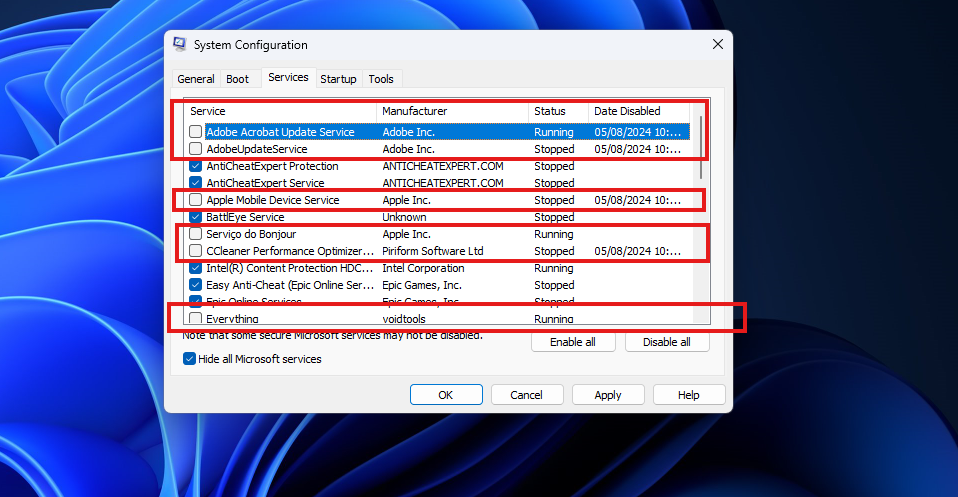
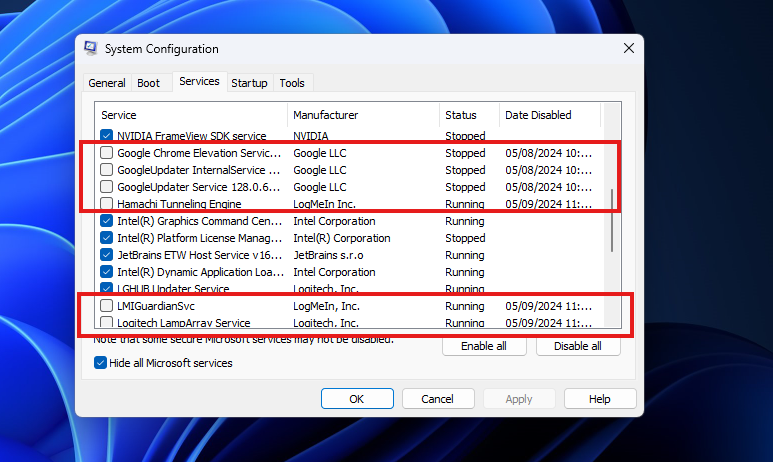
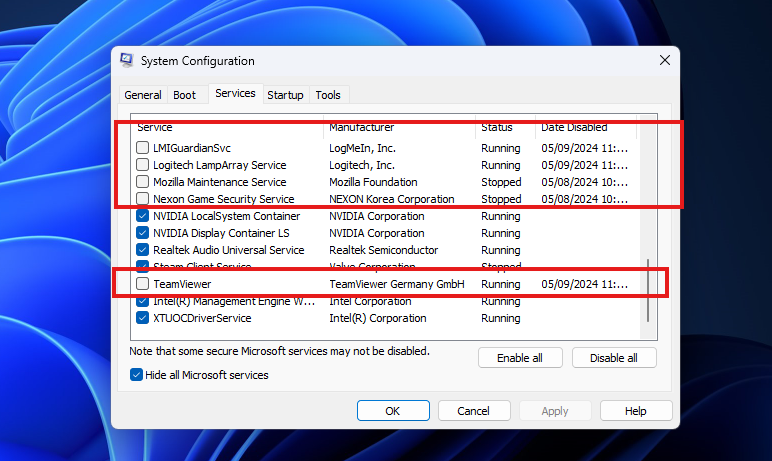
- Disable any non-essential services that you do not need to start with Windows.
- After finish click in apply!
EXAMPLE
Note: The software services you should disable may vary depending on your computer. If you’re unsure about which services to disable, please take a screenshot and attach it to your support ticket. We’ll assist you in identifying which services can be safely disabled.